How to Remove Image Backgrounds with AI: The Complete Guide
 Özer CET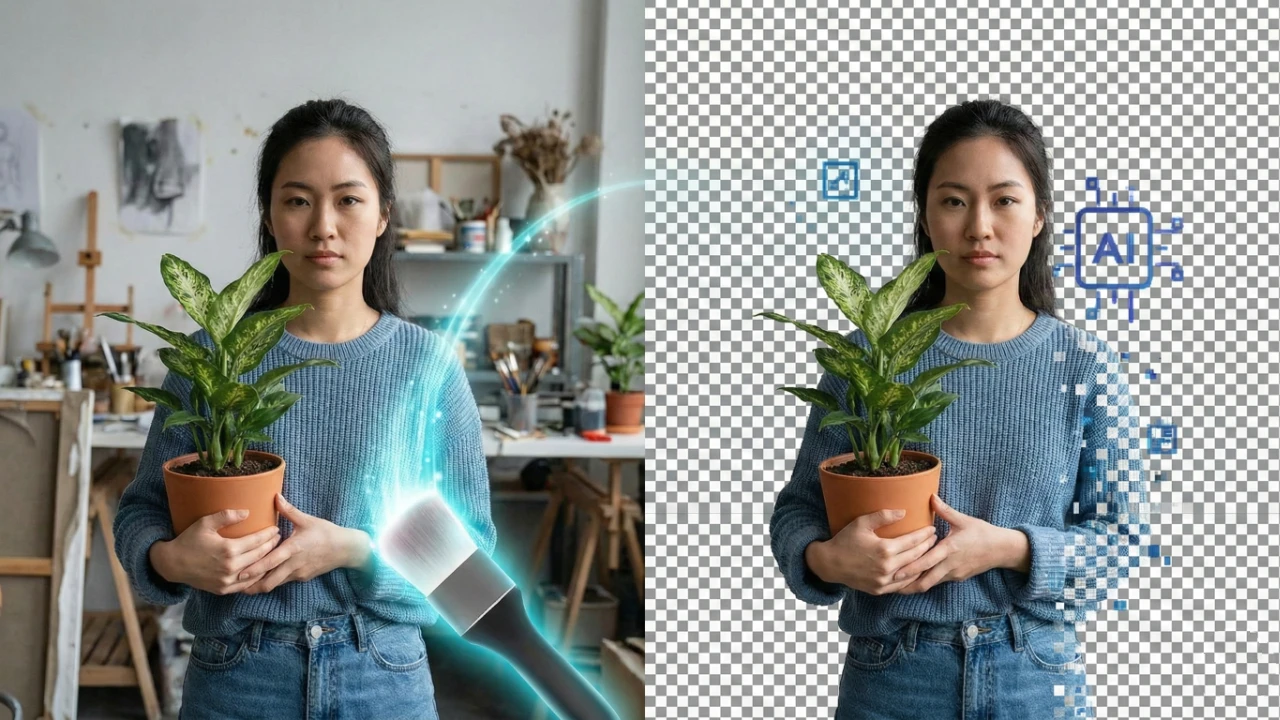
How to Remove Image Backgrounds with AI: The Complete Guide
Removing backgrounds from images used to require hours of painstaking work in Photoshop. Today, AI-powered tools can accomplish the same task in seconds with remarkable accuracy. Whether you are an e-commerce seller, a marketer, or a content creator, AI background removal is a game-changer.
Why Remove Image Backgrounds?
Clean, professional images are essential across many industries. Here are the most common use cases:
- E-commerce Product Photos — Online marketplaces like Amazon and Shopify require white or transparent backgrounds. AI removal lets you process hundreds of product images in minutes instead of days.
- Profile Pictures & Headshots — Create polished LinkedIn photos or team page portraits without hiring a photographer with a studio backdrop.
- Marketing Materials — Design banners, social media posts, and ads by isolating subjects and placing them on branded backgrounds.
- Presentations & Documents — Make slides look professional by removing cluttered backgrounds from diagrams, product shots, or team photos.
How AI Background Removal Works
Modern AI background removal relies on deep learning models trained on millions of images. The process follows these steps:
- Image Analysis — The neural network examines every pixel in the image to understand the scene.
- Subject Detection — The AI identifies the foreground subject (person, product, object) using semantic segmentation.
- Mask Generation — A precise pixel-level mask is created that separates the subject from the background.
- Background Removal — The background pixels are made transparent while preserving fine details like hair strands and semi-transparent edges.
AI vs. Photoshop: A Quick Comparison
| Feature | AI Background Remover | Adobe Photoshop |
|---|---|---|
| Speed | 3–5 seconds | 10–30 minutes |
| Skill Required | None | Advanced |
| Cost | Free or low-cost | $22.99/month |
| Hair & Fine Edges | Excellent | Manual refinement needed |
| Batch Processing | Yes | Requires scripting |
| Consistency | High | Varies by skill |
Tips for Best Results
To get the cleanest possible output from AI background removal, follow these guidelines:
- Use high-resolution images — The more pixels the AI has to work with, the more accurate the edges will be.
- Ensure good lighting — Well-lit subjects with clear contrast against the background produce the best results.
- Avoid extreme overlap — If the subject color is very similar to the background, the AI may struggle with edges.
- Check fine details — Always zoom in on hair, fur, or translucent objects to verify the output quality.
- Use PNG format — Save your results as PNG to preserve the transparent background.
Common Use Cases in Detail
E-commerce and Online Retail
Product photography is one of the biggest applications for AI background removal. Online sellers need consistent, clean product images to build trust and increase conversions. With AI tools, you can:
- Process entire product catalogs in hours instead of weeks
- Maintain consistent white backgrounds across all listings
- Create lifestyle mockups by placing products on custom backgrounds
- Meet marketplace requirements without professional photography equipment
Social Media and Content Creation
Content creators and social media managers use background removal daily to create eye-catching visuals. Common applications include creating thumbnail images for YouTube videos, designing Instagram story templates with transparent overlays, building composite images for blog posts and articles, and producing professional-looking content without a design team.
Corporate and Professional Use
Businesses rely on clean images for internal and external communications. Background removal helps create uniform employee headshots for company websites, design professional presentations with clean visuals, produce training materials with consistent imagery, and build marketing collateral that matches brand guidelines.
Try It Now
Ready to remove backgrounds from your images instantly? Our AI-powered Background Remover processes your images in seconds with studio-quality results. No signup required, no software to install — just upload and download.
Whether you need to process a single headshot or a batch of product photos, AI background removal saves you time, money, and effort. Give it a try and see the difference for yourself.
Written by
Özer CET
Creating AI-powered tools and sharing insights on technology, design, and creativity.